
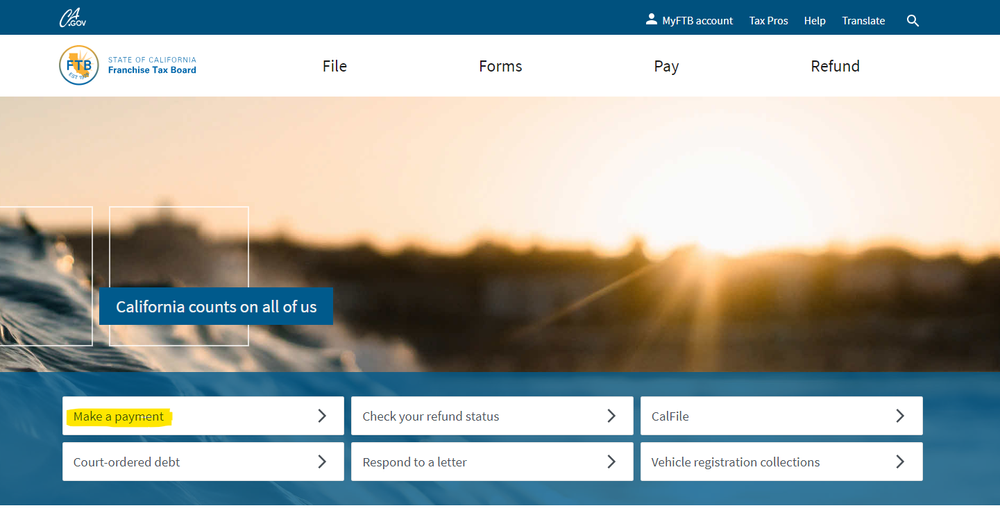
California (CA) - How to Make PTE payments
-
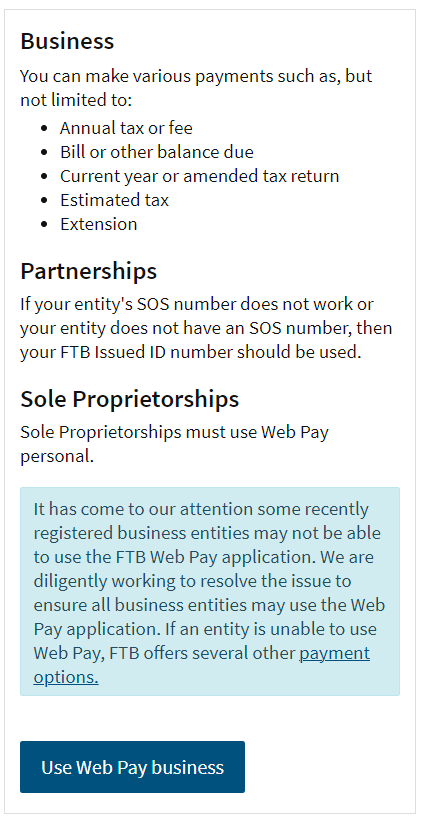
2Under the “Business” option, choose “Use Web Pay business”.
-
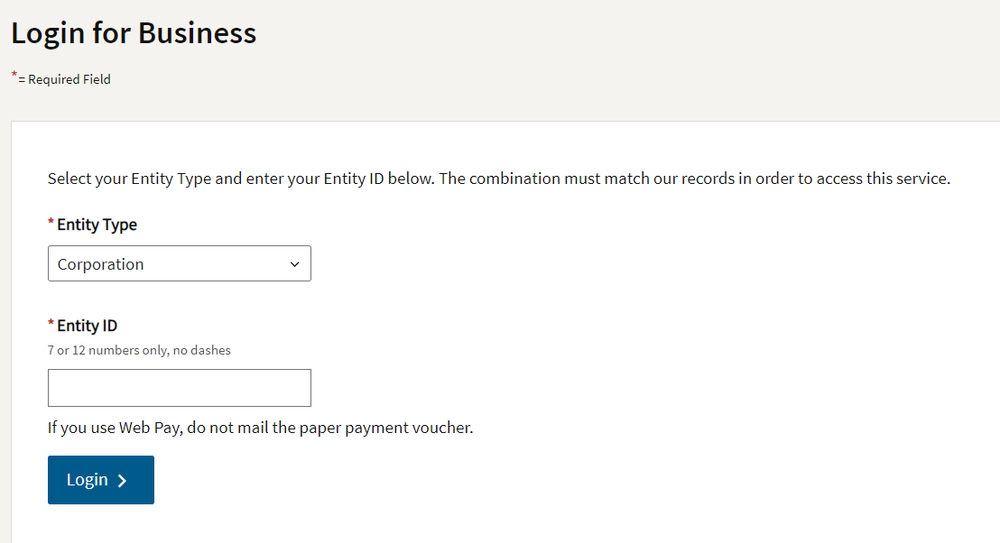
3Choose entity type: Corporation and your Entity ID. Enter the characters in the pictures and proceed.
-
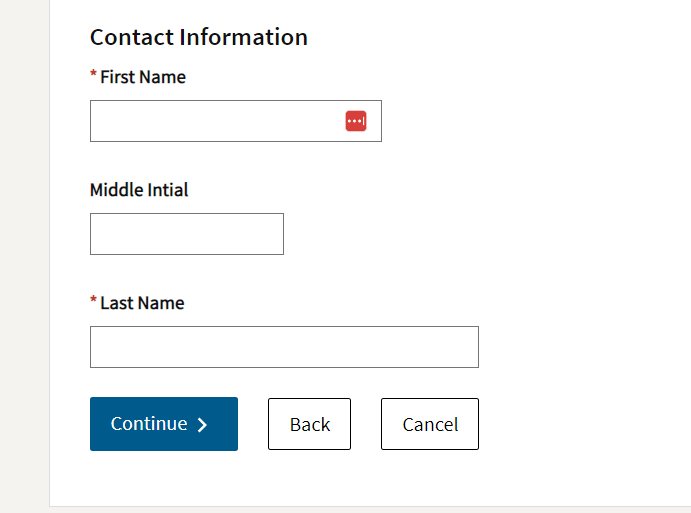
4Enter your name and proceed.
-
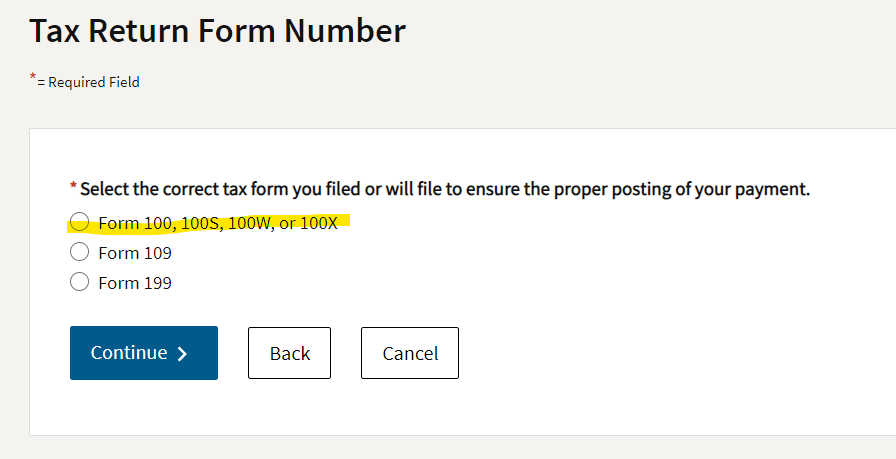
5Select Form 100S.
-
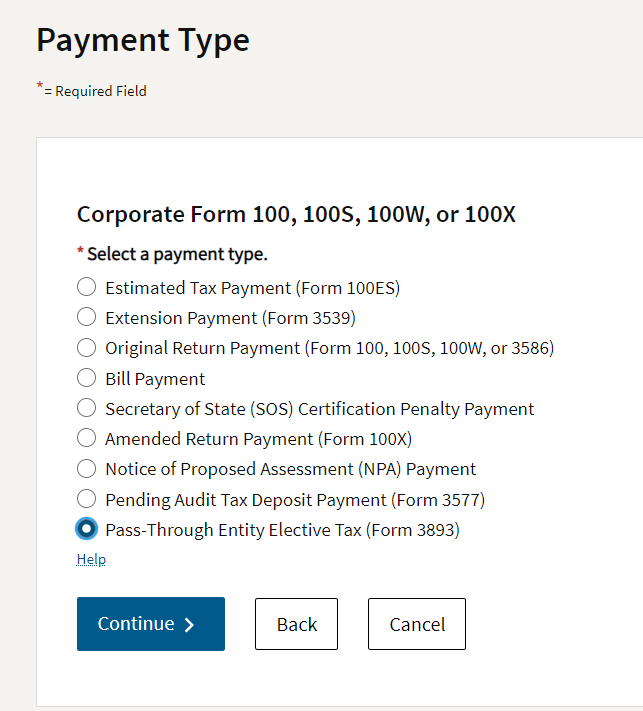
6Select “Pass-Through Entity Elective Tax (Form 3893)” at the bottom.Important: Selecting the right tax form let's the FTB know where to apply your funds. Make sure you've chosen the Pass-Through Entity Elective Tax (Form 3893).
-
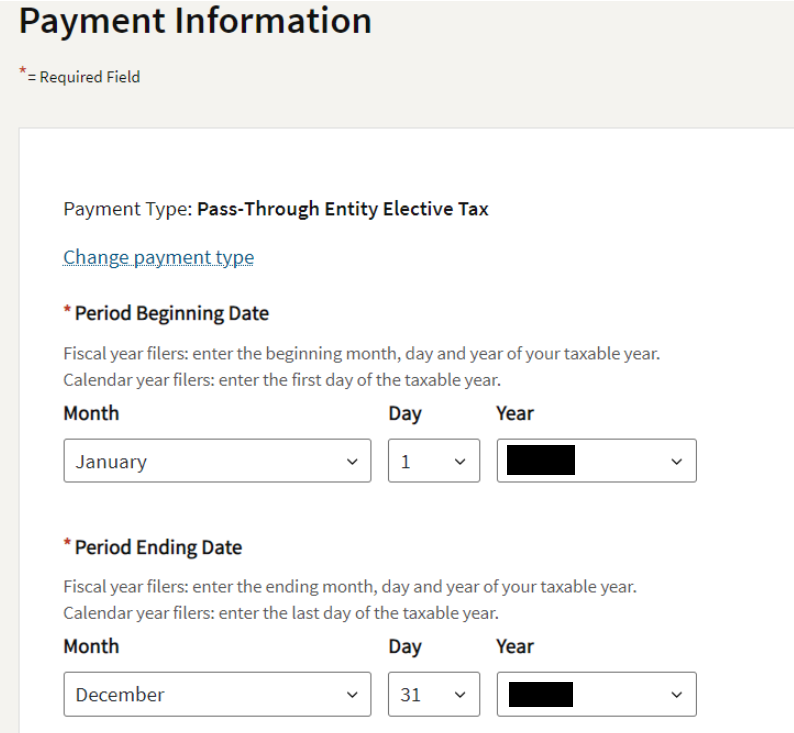
7For the period, Choose Jan 1 to Dec 31 of the Year this Payment Relates to
-
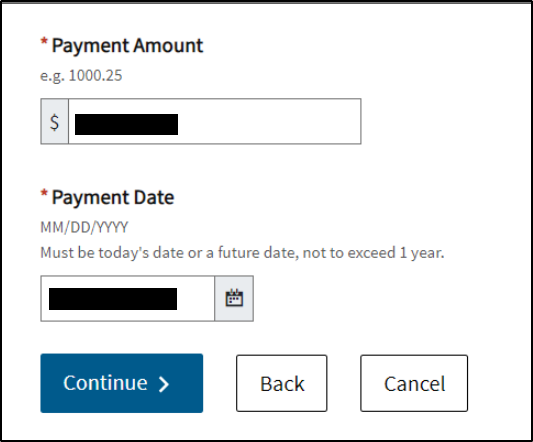
8Enter the payment amount in the first bullet point above and proceed.
-
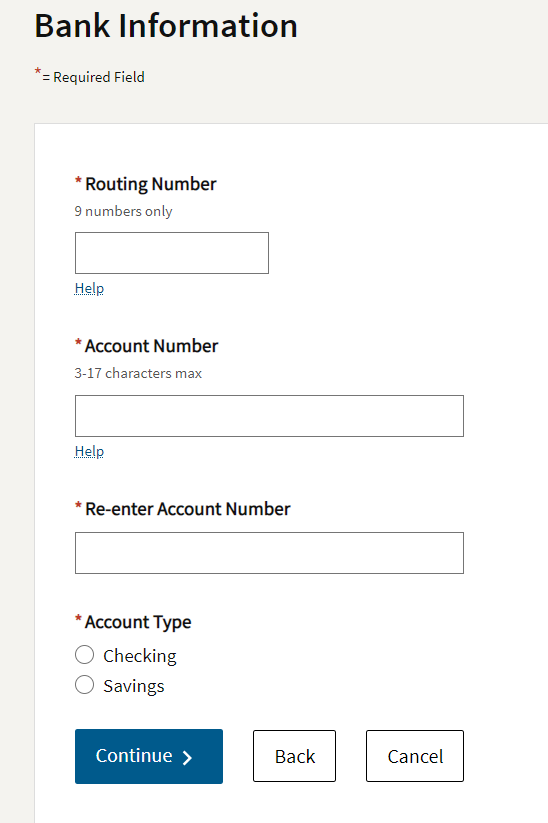
9Enter the bank information.Important: Use your practice bank information NOT your personal account.
-
10Confirm the information is accurate, enter your email address, and submit.
-
11Once you have made the payment to the FTB, please send the confirmation email or a screenshot of it to me by replying to this email.
-
12We’ll then elect the PTE on your (YEAR) corporate tax return to lock in the federal tax savings.
If you still have a question, we’re here to help. Contact us