
How Do I Make Personal Federal (IRS) Income Tax Payments?
-
2Sign into your account if you have one with the IRS or complete payment as guest.
-
3View payment options below:
-
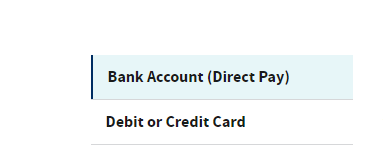
4Choose Bank (Direct Pay) or Debit/Credit card below and follow the instructions.
-
5To complete payment as guest via bank account (Direct Pay) select "reason for payment
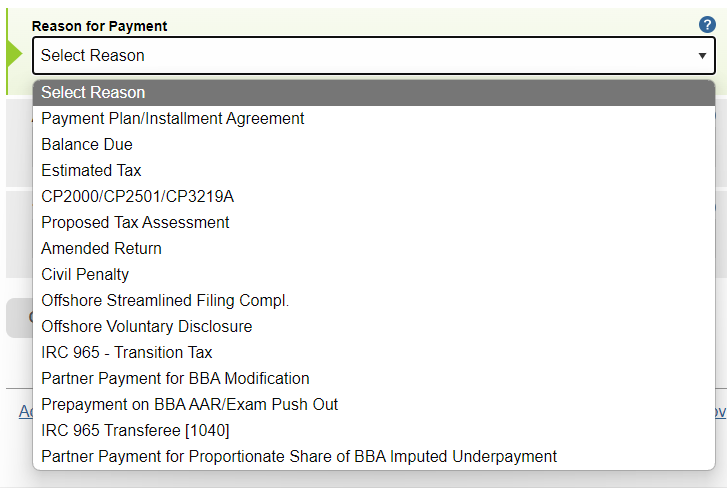
Note: If you log in to your personal IRS account instead of proceeding with payment as guest, you may not see "1040ES" payment as an option. Choose "estimated tax" and the tax year "YYYY".
-
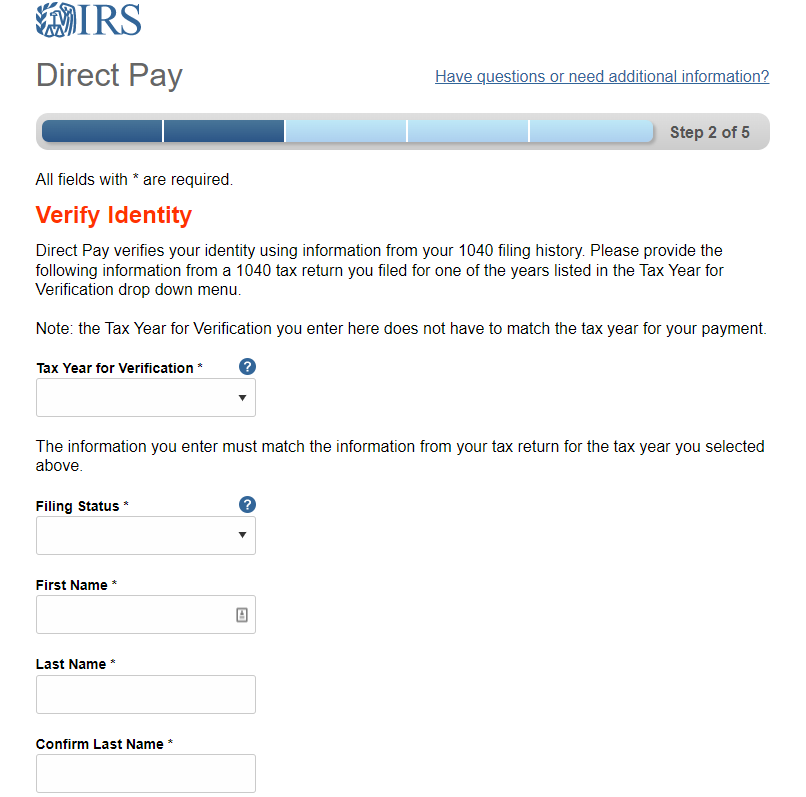
6Verify your identity in five steps and follow the prompts to complete payment.
-
7Save a copy of your payment and send a copy to you CFO advisor securely via your PracticeCFO portal.If you do not know how to upload documents to you client portal, contact your CFO advisor.
-
8End
-
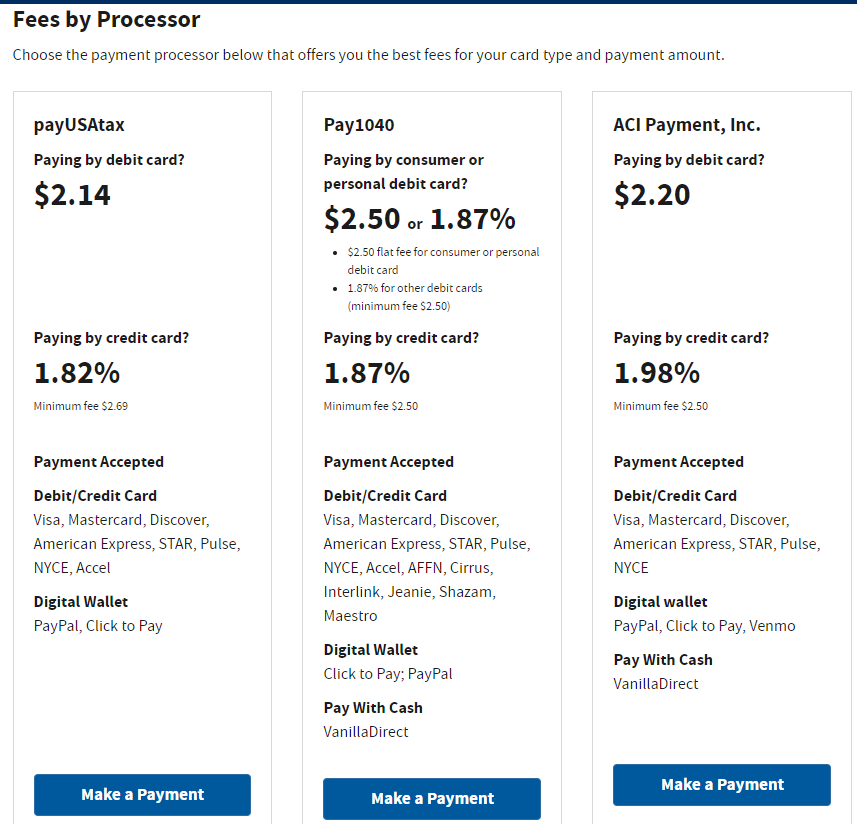
9To complete payment via debit/credit card. You will need to pay a processing fee for this option. Please select the fee that works best for you by clicking "Make Payment".
-
10Make a Selection

-
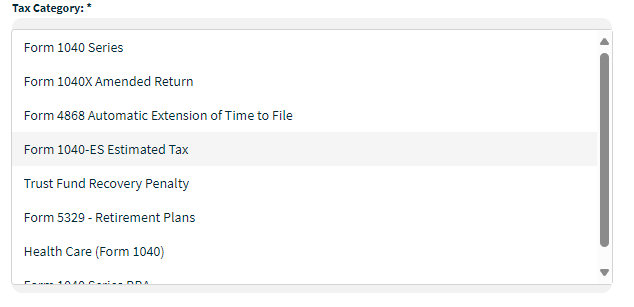
11Choose Tax CategoryIf you are paying for estimated tax. Choose Form 1040-ES Estimated Tax
-
12Enter Your Taxpayer Information
-
13Review payment and submit.
-
14You should be sent to a page with your payment confirmation. Please keep a copy of payment and send a copy over to us securely via your PracticeCFO portal.If you do not know how to upload documents to you client portal, contact your CFO advisor.
-
15End
If you still have a question, we’re here to help. Contact us