
How to Export Your Documents When Offboarding from Rippling
Clients who have requested to close their Rippling accounts have access to their product subscriptions until the billing end date. They will then have an additional 30 days to export any data or documents stored in their Rippling account.
-
1Download Your Documents After Your Account is Set to Close
- Log in to your account.
- Go to the sidebar.
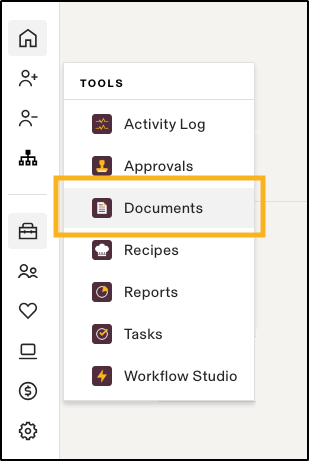
- Click on 'Tools' > 'Documents'
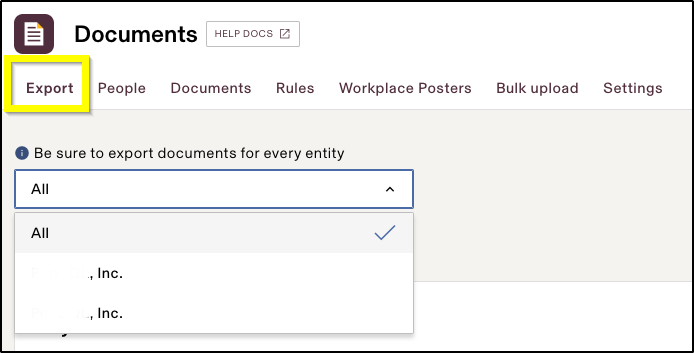
- Under the 'Export' tab, choose the entity or entities for which you want to download documents or 'Choose All' download all the documents.
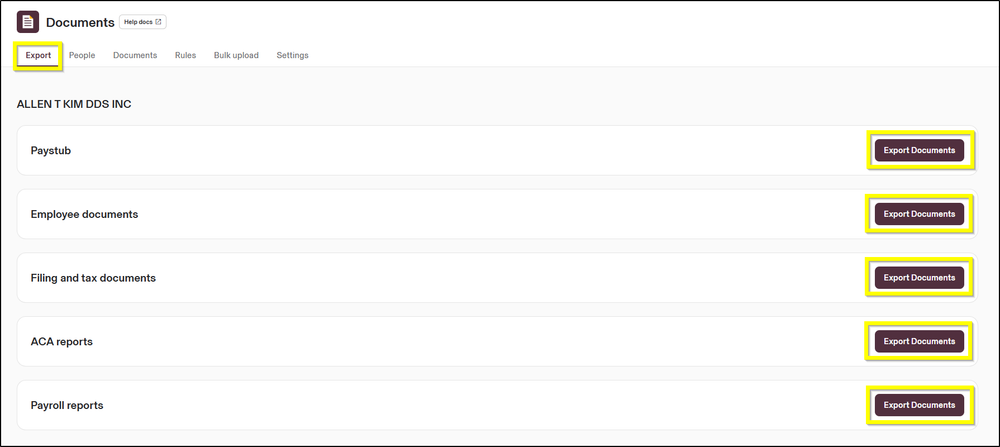
- Export and downloadthe following categories of documents:
- Employee documents (such as signed offer letters, PIIAs, I9, W4, withholdings)
- Filing and Tax documents, paystubs, and payroll reports
- If new documents have been sent and signed since your last download, be sure to click 'Refresh Export' in the 'Export' tab so your zip file has the latest documents, and then download again.
-
2Step-by-Step Guide to Downloading Your Data Before Account Closure
- Navigate to your 'sidebar'
- Click on 'Tools > Reports.'
- Click 'New Report > Start from Scratch' and choose the appropriate report type.
- On the next screen, choose the specific attributes of data you need for export.
- Once the report is created, click the 'Download' icon.
- Select the preferred file format ('CSV or Excel').
- Modify the date filters to capture additional data.
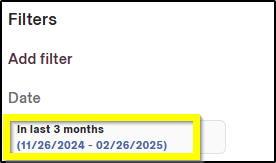
- If the data volume exceeds system limits, adjust date ranges in blocks to retrieve all necessary data.
Special Note on Account Closure and Annual Filings
If you opted for 'Rippling to submit your annual filings', you will retain access to your account until March 31 of the current tax year to download these documents.
'No other data or documents' will be available for export beyond the account closure date. -
3Downloading Documents Within 30 Days of Account Closure
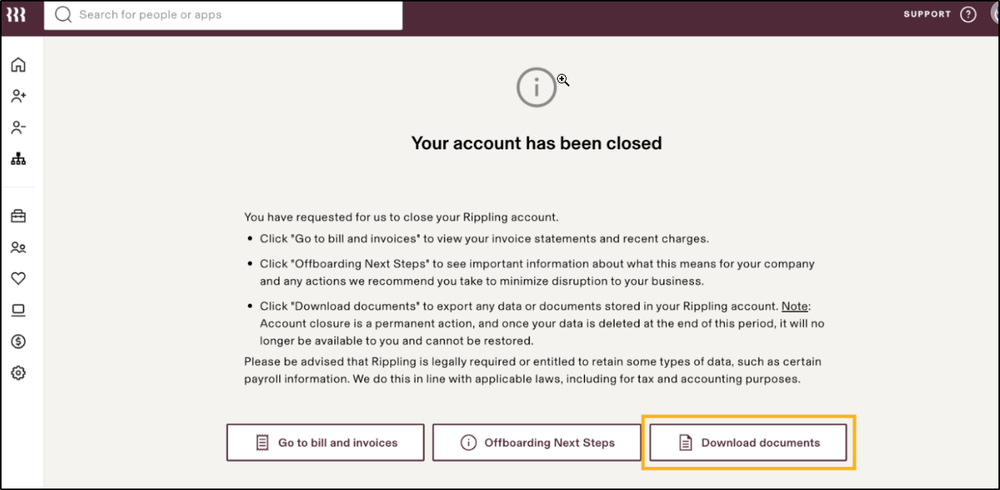
- Access your 'Rippling account' using your login credentials.
- Click the 'Download Documents' button to export your data
If you still have a question, we’re here to help. Contact us